


Top Apps to Translate English to Tagalog: Benefits & How to Use Them


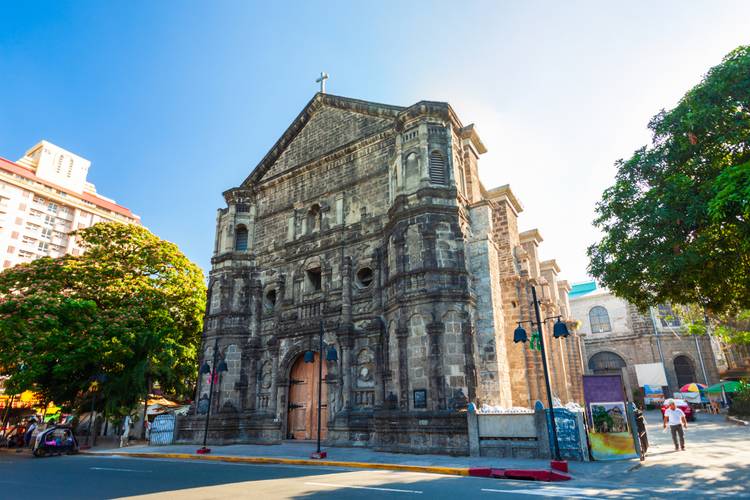
Traveling to the Philippines or chatting with Filipino friends becomes smoother when you have a reliable translator on your phone. Whether you need quick phrases for ordering food or full sentences for navigating local directions, the right tool can change a confusing moment into an easy one.
If you’re hunting for a translate English to Tagalog app, this guide highlights top options, explains what makes each one useful, and walks you through simple installation and use. The goal is to help you pick the app that fits your travel style and language needs.
Google Translate
Google Translate is a go-to choice thanks to broad language coverage and multiple input methods. It supports typed text, voice conversations, camera translations for menus and signs, and offline downloads for use without internet access.
The biggest advantage is convenience; you can switch between speech and camera modes within seconds. Many travelers find the conversation mode especially handy for back-and-forth chats with locals, and the offline packs save worry when data is expensive.
To install, open your phone’s app store, search Google Translate, and tap install. For offline use, open the app, go to Languages, select Tagalog, and download the offline file; then try the camera or conversation features to see how fast it works.
Microsoft Translator
Microsoft Translator focuses on clear, real-time conversation support and group translations. It offers multi-device conversation syncing, which lets several people join the same translation session from their phones.
One benefit is the group conversation feature, perfect when traveling with a tour group or family. The app also offers phrasebooks and pronunciation guides, helping solo travelers learn useful lines before speaking aloud.
Install the app from your device app store and grant microphone permissions for voice features. Tap Start conversation to create a room code, invite companions, and begin translating live. This lets everyone see translated text on their own screens simultaneously.
iTranslate
iTranslate blends a user-friendly interface with voice and text translation options for many languages, including Tagalog. It offers clear pronunciation playback and a split-screen mode to compare original and translated text easily.
The Pro version unlocks offline access and verb conjugation tools, which help those who want deeper language practice. Another thing to note is the clean layout, which reduces confusion when you need a quick translation on the go.
Download iTranslate from the app store, then open the app and select your source and target languages. Tap the microphone for speech input or type a phrase to see instant translation and hear the spoken result.
SayHi Translate
SayHi Translate is built around fast, natural-sounding speech translation and works well for casual conversations. The app focuses on fluid voice recognition and accurate spoken output, making it comfortable to use in restaurants or markets.
One advantage is its simplicity; users enjoy the minimal interface and quick response times. If you’re planning to ask for directions or negotiate at a market, SayHi’s spoken translations usually sound close to natural speech.
Get SayHi from your device’s store, open it, and choose English and Tagalog as your languages. Press and hold the microphone, speak your sentence, and release to view the translated text and hear the voice output.
Lingvanex Translator
Lingvanex offers text, voice, document, and website translations and supports offline language packs for travel without internet. It includes features for translating files and copying translations directly into other apps.
The benefit of document translation is useful for travelers dealing with printed directions, tickets, or local forms. Another thing to note is the app’s ability to translate entire web pages or clipboard content, which speeds up communication while browsing local sites.
Install Lingvanex from the app store, sign in if you want cloud syncing, and download the Tagalog offline pack for offline use. Use the document translate feature to import files, or use voice mode for quick spoken exchanges.
U-Dictionary (Tagalog Modules)
U-Dictionary combines a dictionary, example sentences, and AI-powered translations with a focus on learning as well as translating. It often includes phrase examples and usage notes, which helps when you want to sound more natural.
The learning-focused design helps travelers remember common phrases and avoid literal mistakes. Families and group vacationers say the phrasebook and example sentences make ordering food and asking questions less stressful.
To use U-Dictionary, download it from your app store, pick English and Tagalog in the language settings, and explore the phrasebook or sentence examples. Use the quick translate box to paste text or speak to get instant translations and helpful context.
Tips for Choosing the Right App
Think about whether you need offline capability, camera translation, or group conversation features when making a choice. If you’re relying on public Wi-Fi or want to save mobile data, pick an app that offers downloadable language packs.
Another consideration is audio quality and pronunciation, especially for spoken conversations and polite phrases. Try out a couple of apps before you travel so you can compare how natural the speech sounds when speaking Tagalog phrases aloud.
Practical Travel Uses
Use camera translation to decode menus and signs within seconds, which saves time and reduces ordering mistakes. If you need to confirm travel details in Tagalog, a quick voice translation might be all you need to avoid miscommunication.
When booking or changing plans during a trip, translations can help you understand local terms and conditions, and they make it easier to explain requests to hotel staff. While planning flights, you can search for Cheap flights and keep travel confirmations handy for quick translation.
How to Practice Before You Go
Run short role-play sessions with a chosen app to get comfortable with pronunciation and responses. Recording or listening to the translation playback helps you mirror pronunciation and build confidence for real conversations.
If you want to book accommodations or check nearby activities while practicing, Traveloka helps you book hotels efficiently so you can focus on language practice rather than logistics. Try translating reservation details to verify important points like check-in times and cancellation terms.
Final Thoughts
Choosing the right translate app depends on how you travel and what you value most: accuracy, offline access, or natural speech. Testing a few apps ahead of time lets you find the one that feels most intuitive when under pressure in a noisy street market or bustling terminal.
Traveloka acts as a reliable travel partner when you’re ready to plan your trip, offering tools to explore flights, lodging and local experiences across Southeast Asia. The platform simplifies booking and discovery, so you can pair practical translation tools with easy reservations and local activity options like attraction tickets.
Table of Content
Explore the Best of Philippines

Manila

Cebu

Boracay

Cebu City
Recommended Articles

7 Romantic Dining Restaurants in Penang for Couples

10 Best Tourist Attractions Near the Great Wall of China

Hangzhou to Shanghai: A Complete Transport and Travel Guide

Best Luxury Resorts in Da Nang for an Unforgettable Stay

Lazarus Island: A Complete Hassle-Free Travel Guide

Outdoor Activities in Da Nang: A Complete Guide


