



🐳 Enjoy an unprecedented trip with Royal Caribbean Cruise 🛳️
🚢✨Experience the Royal Caribbean Cruise on the Traveloka app! Seamless booking, various choices for easy searching
The voyage will take you on an adventure through exotic lands, indulging in world-class amenities, dining and entertainment every step on the way.
👉 Book your cruise now! 👈
1. Additional onboard credit per cabin:
SGD 50 per cabin with purchase of Balcony & Suite cabins for cruises sailing 2-4 nights
SGD 100 per cabin with purchase of Balcony & Suite cabins for cruises sailing 5 nights or more
2. Your onboard credit can be used during the cruise for:
- WiFi
- Specialty Restaurants
- Paid Attractions
- Gratuities
3. Promotion period: 1 - 13 October 2024 (subject to availability)
4. Traveloka reserves the right to modify these terms and conditions without prior notice
To get onboard credit, you need to be a registered Crown and Anchor member. Each cabin only requires 1 guest to register as a Crown and Anchor member.
Register as a Crown and Anchor Member by following the steps below:
1. Download the Royal Caribbean App from App Store or Google Play
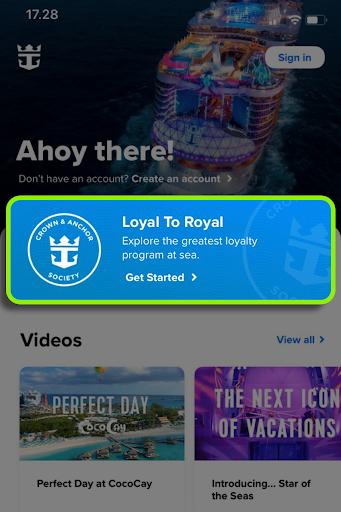
2. Open the app and tap “Loyal to Royal” (in blue)
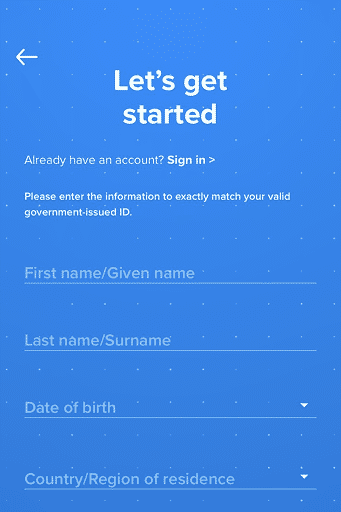
3. Fill in all the required details. Make sure data matches the passport of one of the guests in the cabin
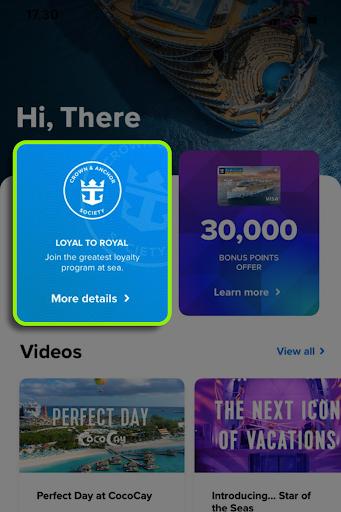
4. Find the other “Loyal to Royal” section in blue on the top left and tap it
5. Tap “Enroll”
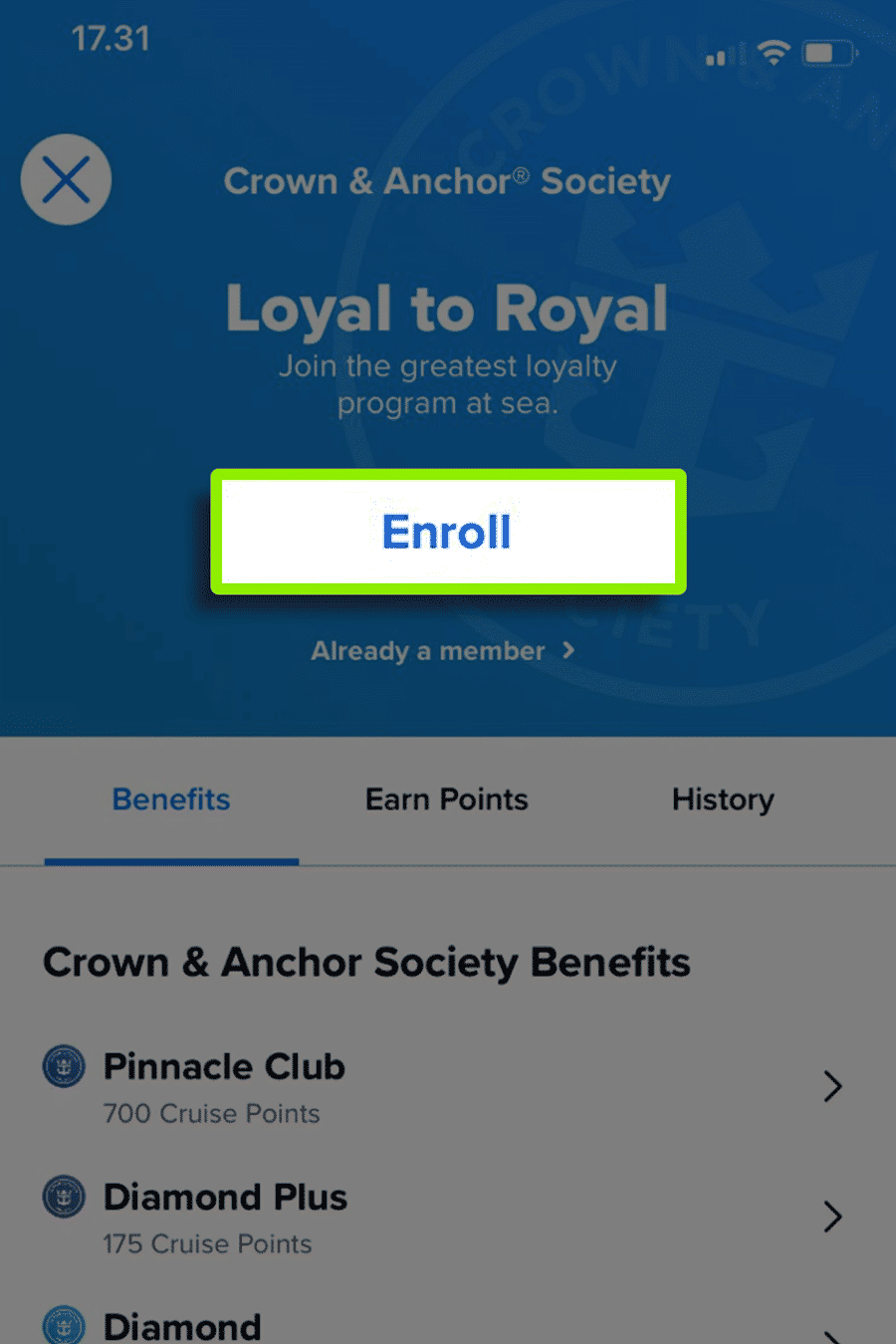
6. Note your member number displayed at the top
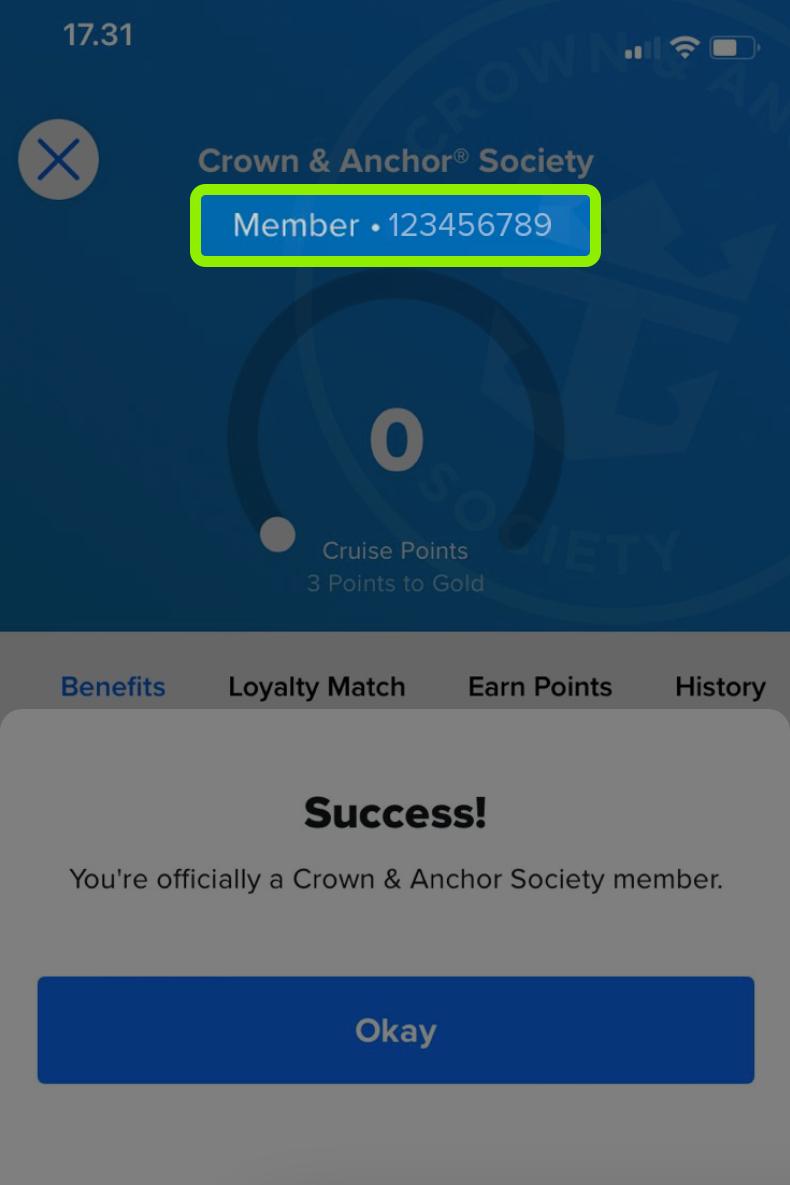
7. Submit your Crown and Anchor membership number via the provided G-Form within 2 days after you receive Royal Caribbean Confirmation Number
1. Visit https://www.royalcaribbean.com/account/signin via desktop computer or laptop (You cannot use the app)
2. Log in using your email and password
3. Add the cruise according to your booking details
4. Click “Plan my cruise”
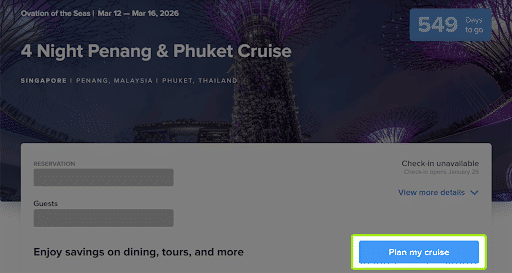
5. Your onboard credit will be displayed (e.g.: “You have a $65 SGD credit to spend on pre-cruise purchases!”)

Download Traveloka app to book 5-star cruise for your trip !






 Facebook
 Instagram
 TikTok
 Youtube
 Telegram
