Easy Reschedule untuk Pesawat
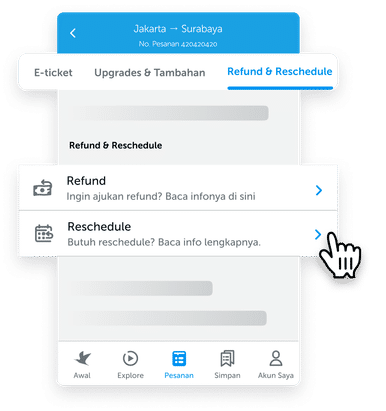
Buka E-tiket Anda
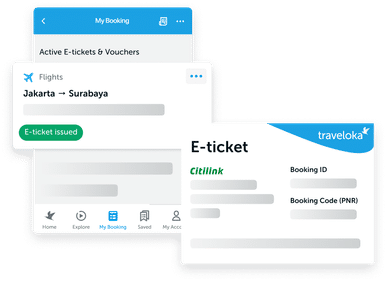
Masuk ke Pesanan di aplikasi Traveloka Anda, lalu buka e-tiket penerbangan yang diinginkan. Ketuk tab Refund & Reschedule di atas, lalu pilih Reschedule.
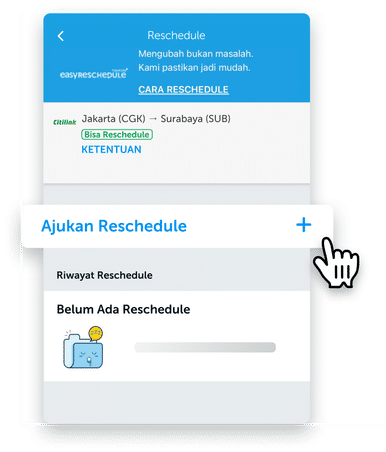
Pilih Ajukan Reschedule
Ketuk Ajukan Reschedule untuk memulai prosesnya.
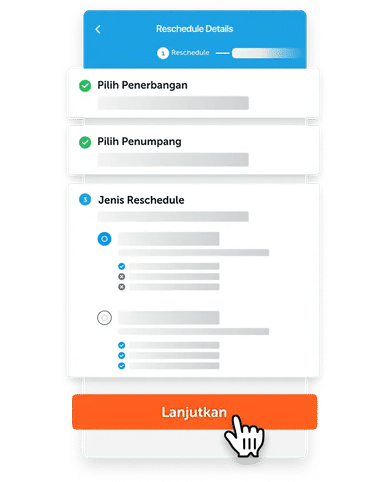
Masukkan detail reschedule Anda
Pilih penerbangan dan penumpang yang Anda ingin ajukan untuk reschedule. Lalu, pilih jenis reschedule Anda dan ketuk Lanjutkan.

Pilih Penerbangan Baru
Cari penerbangan baru, dengan melengkapi detailnya. pilih penerbangan yang Anda inginkan dan lanjutkan.
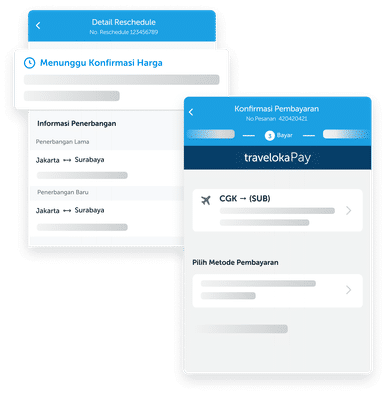
Selesaikan Pembayaran Anda
Konfirmasi detail dan biaya tambahan untuk reschedule Anda, dan selesaikan pembayaran sebelum batas waktu habis.
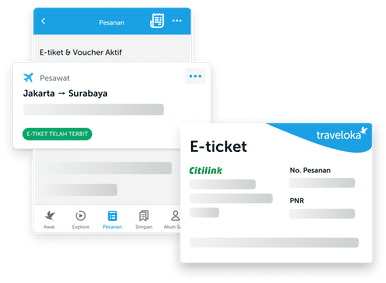
Terima E-tiket Baru Anda
Setelah proses Easy Reschedule selesai, e-tiket baru Anda bisa dilihat di Pesanan dan juga akan dikirim ke email Anda.
How to Check Flight Reschedule Policy
Saat mencari penerbangan
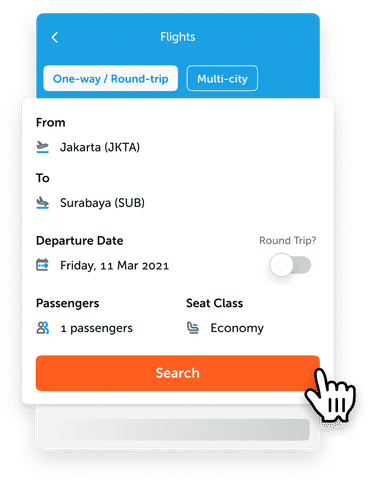
Cari penerbangan di Traveloka
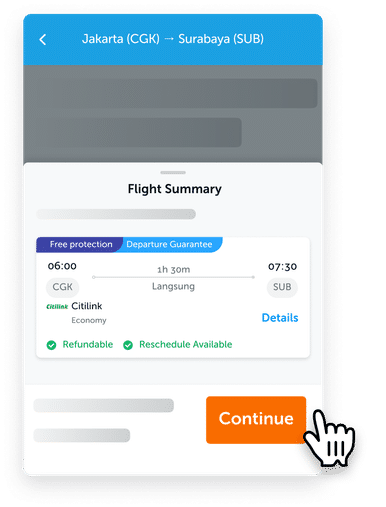
Pilih penerbangan yang Anda inginkan, lalu ketuk tombol Lanjut.
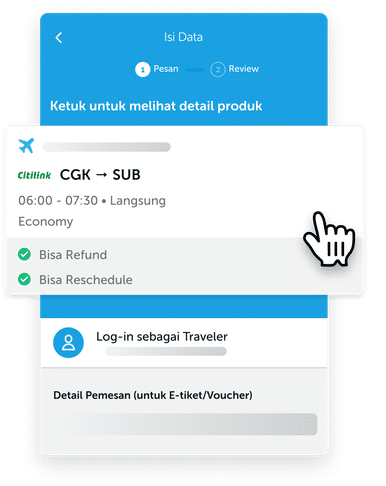
Ketuk kartu penerbangan di atas (di bawah tulisan “Ketuk untuk melihat detail produk”).

Temukan tab Info Reschedule di atas lalu ketuk untuk membaca Kebijakan Umum, Periode Reschedule, dan Biaya Reschedule penerbangan tersebut.
Setelah pembelian tiket
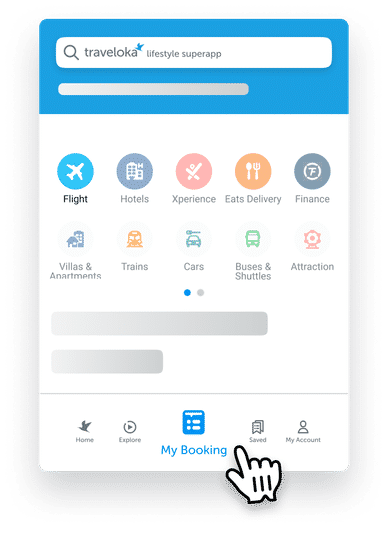
Masuk ke Pesanan di aplikasi Traveloka Anda. Menunya bisa ditemukan di bagian bawah tengah.
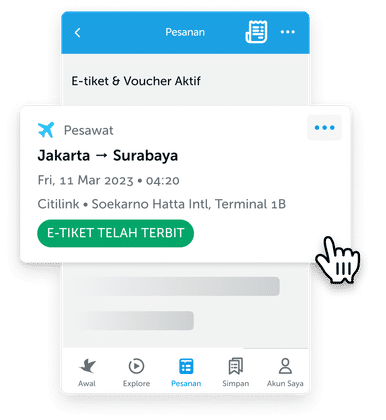
Pilih penerbangan/pesanan yang Anda ingin lihat kebijakannya.
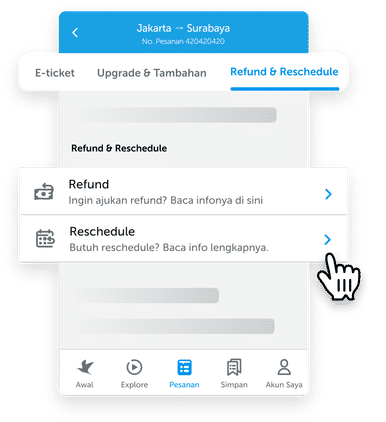
Ketuk tab Refund & Reschedule di atas lalu pilih Reschedule.

Ketuk KETENTUAN di bawah penerbangan yang Anda inginkan.
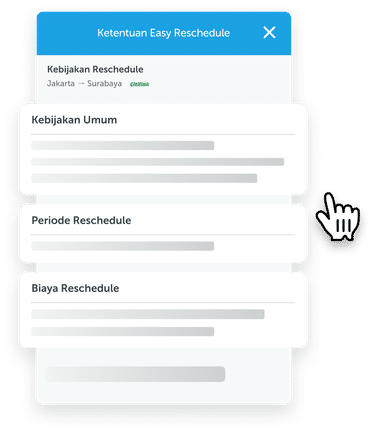
Di sana Anda dapat melihat Kebijakan Umum, Periode Reschedule, dan Biaya Reschedule.
Setelah tanggal penerbangan lewat
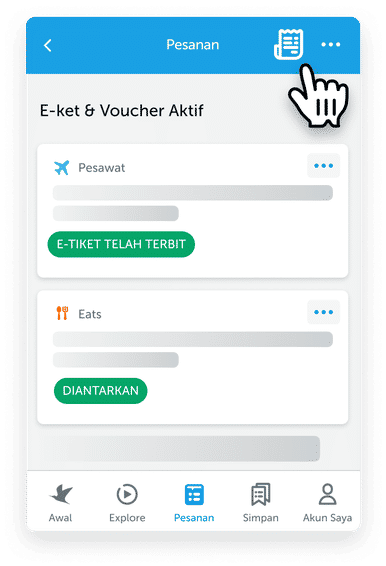
Jika tanggal penerbangan Anda sudah lewat, Anda harus mengetuk ikon bon di pojok kanan atas halaman Pesanan.

Ini adalah halaman daftar pembelian. Temukan penerbangan yang sudah lewat dengan mengetuk Filter di area kanan atas dan pilih Tipe Produk - Pesawat.
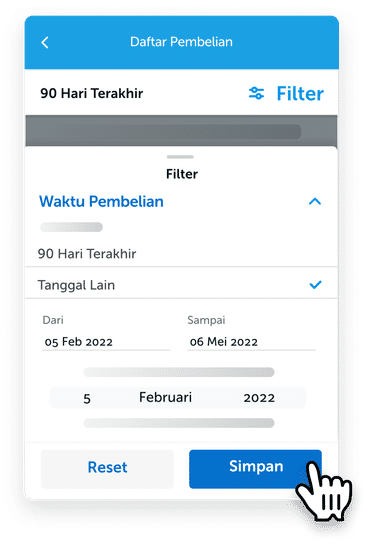
Select Purchase Date and set it to your desired date range, then tap Save.
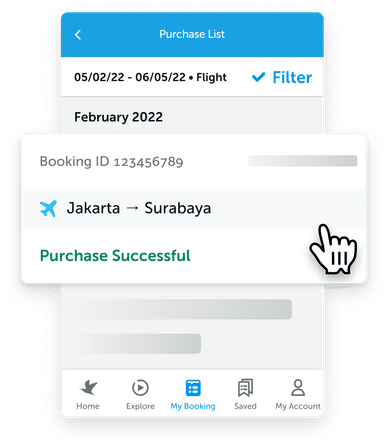
On the list of purchases shown, select the booking you want.
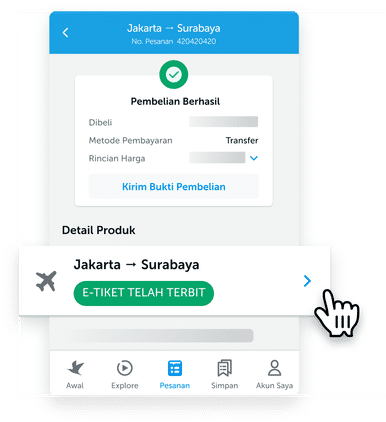
Select the flights under Product Details.
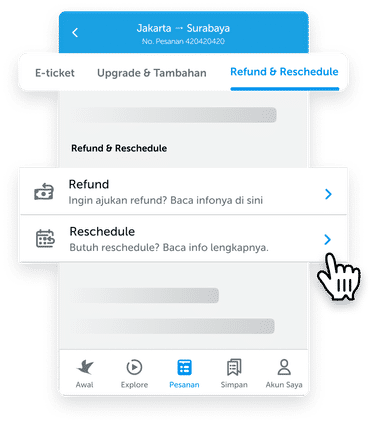
Tap on the Refund & Reschedule tab at the top, then select Reschedule.
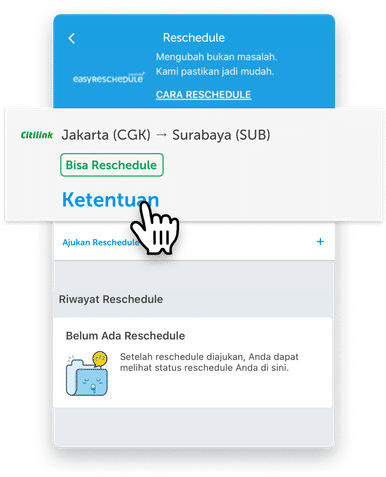
Tap POLICY for the flight you want

There you can see the Reschedule General Policy, Validity Date, and Reschedule Fee.
Some airlines have a travel waiver policy to reschedule your flight. Check out the latest travel waiver policies from the following airlines. If your airline is not listed below, check refund and rescheduling policies in the Traveloka App by following the "How to Check Flight Reschedule Policy" tab.
Make sure to check for updates periodically as status and policy may change or be added any time at the discretion of the airline.
Reschedule+
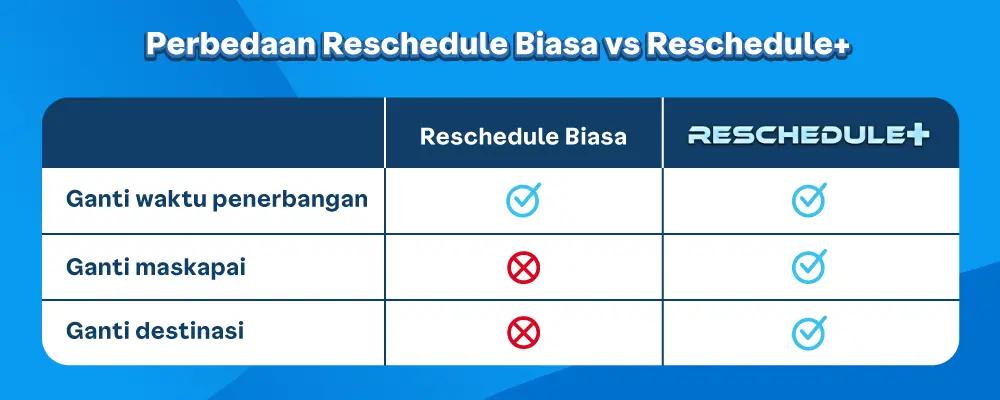
How to Book a Flight with the Reschedule+ Feature
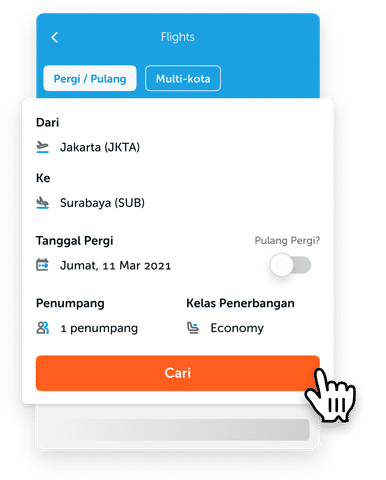
Select Flights on the Traveloka homepage and enter your flight details. Then, tap Search
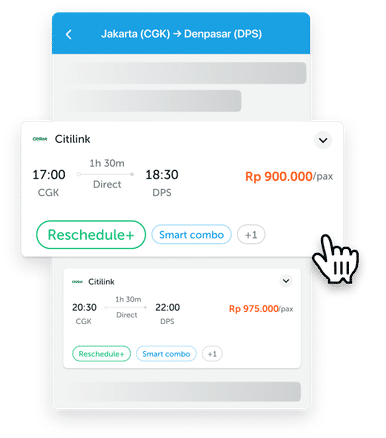
Choose a flight with the Reschedule+ label. The Reschedule+ feature only applies to some airlines.
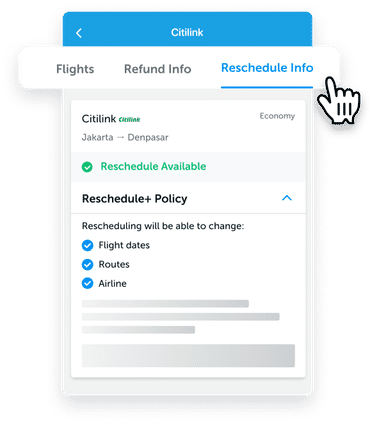
See the Reschedule Info for more details about Reschedule+. Once you are certain with the information, you may continue to book the flight.
How Reschedule+ Works
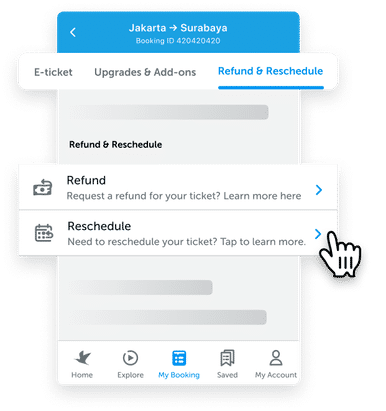
Open your e-ticket via the Bookings menu on the Traveloka homepage. Select Refund & Reschedule, then tap Reschedule.
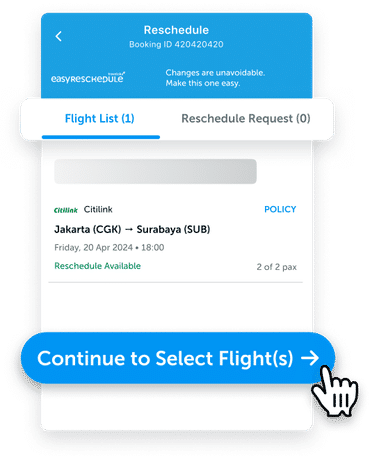
Go to the Flight List tab, and tap Continue to Select Flight(s).

Tick the flight(s) and passenger(s) you want to reschedule.
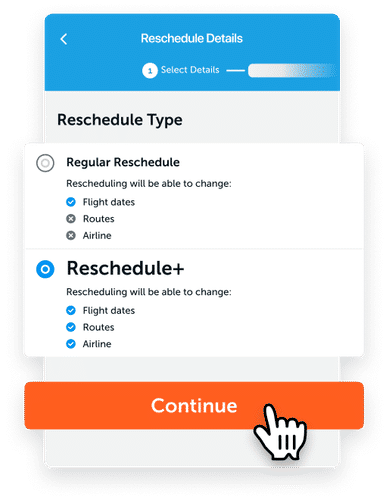
Select Reschedule+ in the Reschedule Type section. Tap Continue to proceed.
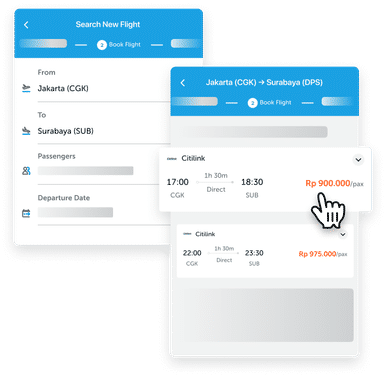
Fill in the details to search for your new flight. Then, tap Search and select your new flight.
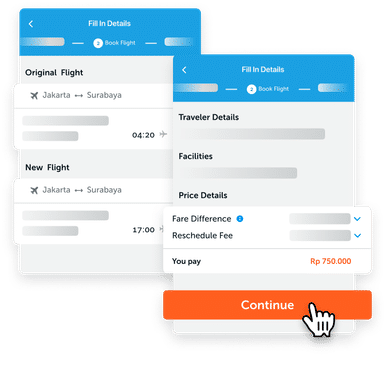
Review the information on your new booking details. If everything is already in place, tap Continue to proceed to the payment process.
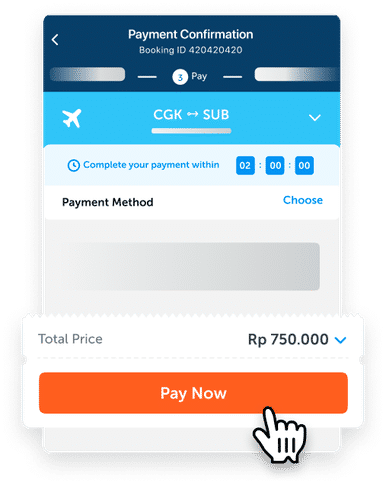
Choose your preferred payment method and complete your payment.
Once your payment is received and the process is completed, find your new e-ticket on the Bookings page and your email.