


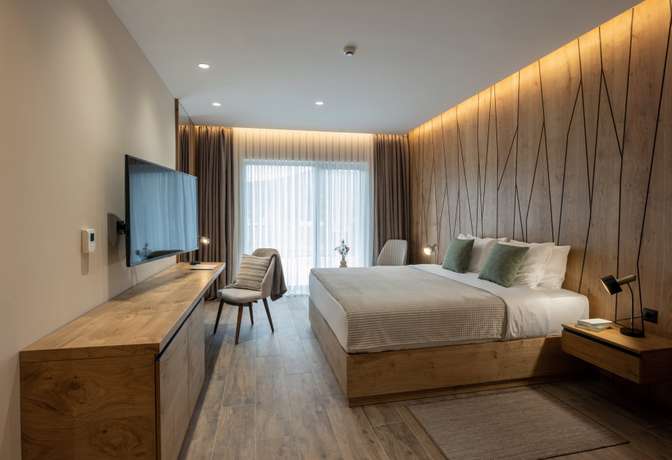





More about Best accommodation and hotels near your location
How to Find a Precise Location Hotel Near You
Activate Location in Your Browser
To find a hotel near you based on your current location, please ensure you have activated your location settings in your browser. If you use a mobile device, a location activation prompt will pop up on your screen, and you need to click "Allow." If you are using a desktop, the location setting prompt will appear at the top left of your browser.
If your location settings are not activated, this page won’t be able to find hotels near you. Here is how to allow location access on the Desktop:
- Allow this time: You'll be able to get hotel recommendations based on your precise location for this visit. However, you must activate the area again the next time you visit the "hotel near me" page.
- Allow on every visit: When you visit the "hotel near me" page on Traveloka, you will always receive hotel recommendations based on your precise location.
- Never allow: If you choose not to allow location access, you won’t get hotel recommendations based on your precise location. Instead, you can use our search form to find destinations or hotels you want to stay in.
After you have activated your location, kindly wait. We are curating the best hotels near you just for you.
Find Available Hotels Near Your Location
Looking for a hotel nearby? Whether you're planning a spontaneous trip or need a last-minute booking, finding available hotels near your location is easy. You can find them in Traveloka, which offers a wide range of hotels based on your current location. With the "Hotels Near Me" search feature, you can quickly view hotels that are just a short distance away, ensuring a hassle-free experience. Whether you're in a central area or exploring the suburbs, Traveloka provides real-time availability to help you book your perfect stay.
How to Find Accommodations Near Me with Discounts
Finding accommodations near you at a discount has never been easier. You can find exclusive promotions on Traveloka, where discounted stays are frequently offered, especially for last-minute bookings. Simply head over to the Promo Page to view the latest deals and discounts available in your area. For new users, don't forget to use the coupon code ‘BOOKTRAVELOKA’ to get extra savings on your first booking. Traveloka makes it simple to find great accommodations at affordable prices, no matter your budget.
Any Hotels Near Me Depending on Your Needs
No matter what type of hotel you're looking for, Traveloka has you covered. You can find hotels tailored to your needs in Traveloka, whether you're searching for budget hotels, family-friendly accommodations, or luxury resorts. Traveloka’s search filters allow you to customize your hotel search, whether you're seeking pet-friendly places, boutique hotels, or high-end properties. Whatever your preferences, Traveloka ensures you’ll find a hotel nearby that perfectly matches your needs and preferences.
How to Book Hotels in Traveloka
Booking hotels on Traveloka is simple and convenient. Here's a step-by-step guide to help you make your reservation quickly:
- Download the Traveloka App or Visit the Website
- Start by downloading the Traveloka app or visiting the official Traveloka website. Both platforms provide an easy-to-use interface where you can search for hotels.
- Search for Hotels Near Your Location
- Enter your desired destination, dates, and number of guests. You can find hotels near your location by using the "Hotels Near Me" feature, which shows real-time availability based on your current position.
- Filter Your Preferences
- Use filters to refine your search. You can filter by price range, star rating, guest reviews, amenities, or specific hotel types like pet-friendly or boutique hotels. Traveloka offers tailored results to meet your needs.
- Check Promotions and Apply Coupon Codes
- Don’t forget to check the Promo Page for any discounts or deals. For new users, apply the coupon code ‘BOOKTRAVELOKA’ to get extra savings on your booking.
- Review Hotel Details and Choose Your Room
- Once you find a hotel that suits your needs, click on it to view details such as photos, room options, amenities, and guest reviews. Choose your preferred room type and proceed to book.
- Complete Your Booking
- After selecting your room, proceed to the checkout. Enter your personal information and payment details. Traveloka offers various payment methods, including credit/debit cards, bank transfers, and e-wallets.
- Receive Confirmation
- Once your payment is successful, you’ll receive an instant booking confirmation via email and in the Traveloka app. You can also manage your booking through your Traveloka account.
- By following these steps, you can easily book hotels in Traveloka and enjoy a smooth, hassle-free booking experience tailored to your needs.





 Facebook
 Instagram
 TikTok
 Youtube
 Telegram